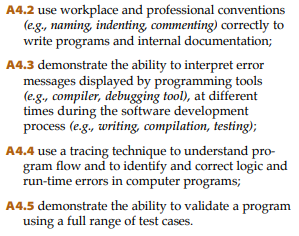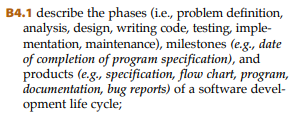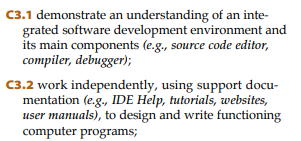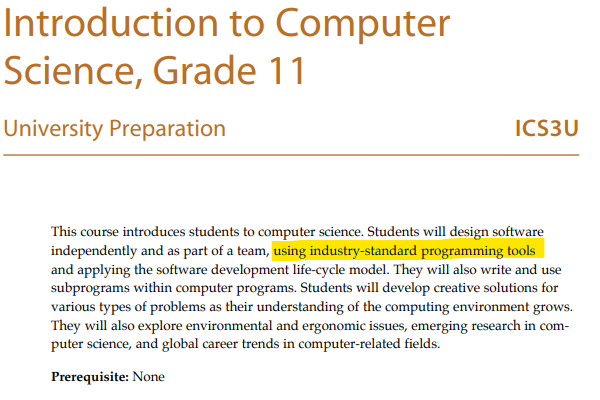
<?xml version="1.0" encoding="utf-8"?><feed xmlns="http://www.w3.org/2005/Atom" ><generator uri="https://jekyllrb.com/" version="3.10.0">Jekyll</generator><link href="https://mralkema.com/feed.xml" rel="self" type="application/atom+xml" /><link href="https://mralkema.com/" rel="alternate" type="text/html" /><updated>2026-05-30T01:06:58+00:00</updated><id>https://mralkema.com/feed.xml</id><title type="html">Mr. Alkema’s Homepage</title><subtitle>Homepage for Mr. Alkema</subtitle><entry><title type="html">Github Classroom for ICS Courses</title><link href="https://mralkema.com/teaching/2023/02/13/github-classroom-intro.html" rel="alternate" type="text/html" title="Github Classroom for ICS Courses" /><published>2023-02-13T17:46:38+00:00</published><updated>2023-02-13T17:46:38+00:00</updated><id>https://mralkema.com/teaching/2023/02/13/github-classroom-intro</id><content type="html" xml:base="https://mralkema.com/teaching/2023/02/13/github-classroom-intro.html"><![CDATA[<p>I have spent over 10 years as a software developer, and one of the most overlooked aspects of teaching computer science that I’ve noticed is tooling.  Most classes use something like replit to make getting set up and coding smoother.  For math classes that teach coding as part of the curriculum, or for STEM projects using micro:bit, replit is a great tool.  I think ICS3/4U courses need to introduce more real world tooling though, we’re moving past code by itself and into the world of software development.  It’s right here in the curriculum introduction:</p>

<blockquote>
  <p><img src="/assets/img/icscurric.png" alt="" /></p>
</blockquote>

<p>A huge part of software development is all the work that goes into running an application that isn’t the actual writing code part.  Collaborating, architecting, testing, troubleshooting, documenting, building, deploying, upgrading, and monitoring are all important parts of computational thinking to teach alongside writing code itself.  A lot of the curriculum talks about these elements, here are some examples:</p>

<blockquote>
  <p><img src="/assets/img/curic1.png" alt="" />
<img src="/assets/img/curic2.png" alt="" />
<img src="/assets/img/curic3.png" alt="" />
<img src="/assets/img/curic4.png" alt="" /></p>
</blockquote>

<p>Some classrooms (and when I took ICS3U back in 2005) use IDEs like Pycharm or Visual Studio.  This provides that authentic experience, but can be a lot to jump into at the beginning of the course, and often leads to lots of wasted time troubleshooting local development issues.  How can we provide this authentic development experience, but try to alleviate some of the headaches?</p>

<p>This is where <a href="https://classroom.github.com/classrooms">Github Classroom</a> comes in.  Git is the industry standard tool for collaborating on code, and Github is the largest site for hosting repositories.  It recently launched a platform that uses all of Github’s features, but provides tools for teachers and students to make the experience easier to use.  This allows us to give students an easy entry point, but an almost unlimited ceiling in terms of where they want to go.</p>

<p>Replit certainly has some collaboration and automation tools, but most are hidden behind the subscription service.  Github classroom is free.  Not only is it free, they offer a <a href="https://education.github.com/pack">free student pack</a> with free domain hosting, Azure credits, canva, and more, and a <a href="https://education.github.com/toolbox">teacher toolbox</a> with tons of access to free industry tools (I’ve used NewRelic from that list, an incredibly powerful monitoring tool).  They can offer this service for free because it’s backed by many of the largest players in the tech industry.  Github is owned by Microsoft, and these companies want to see a new generation of students who are interested in Software Development.</p>

<h2 id="walking-through-an-example-github-classroom-setup">Walking Through an Example Github Classroom Setup</h2>

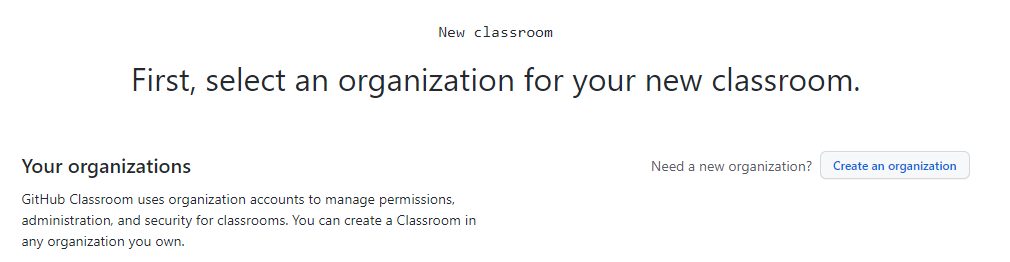
<p>The first thing you’ll need is a Github account.  After that you’ll make an Organization, which is a place to organize your classrooms into.  It could be something like ‘{lastname}-cs’.</p>

<blockquote>
  <p><img src="/assets/img/org.png" alt="" /></p>
</blockquote>

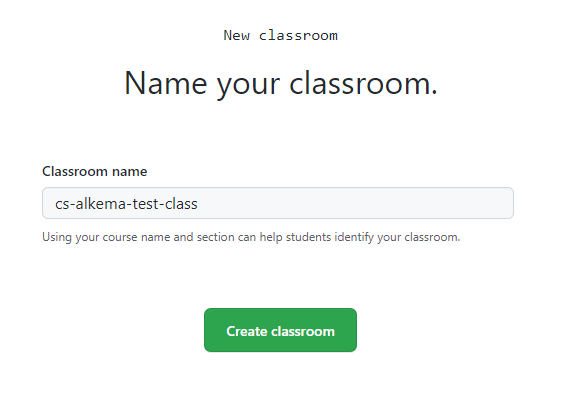
<p>Next, you’ll need to name your class.  This will map to one offering of your course, so it could be something like ‘fall-2021-ics3u’.</p>

<blockquote>
  <p><img src="/assets/img/classname.png" alt="" /></p>
</blockquote>

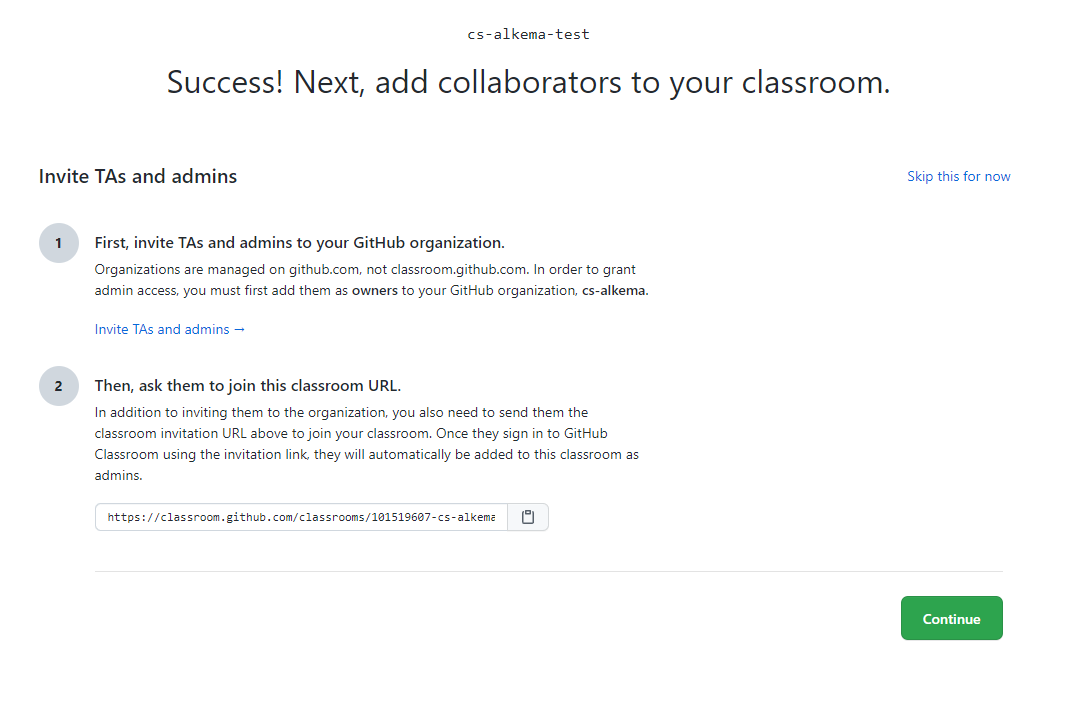
<p>Next, collaborators.  We may have an EA or other teacher helping with the course, and we can add any substitute teachers in here later.  Most likely we can skip this step for now.  All of these steps (except the name) can be skipped and added later.</p>

<blockquote>
  <p><img src="/assets/img/colab.png" alt="" /></p>
</blockquote>

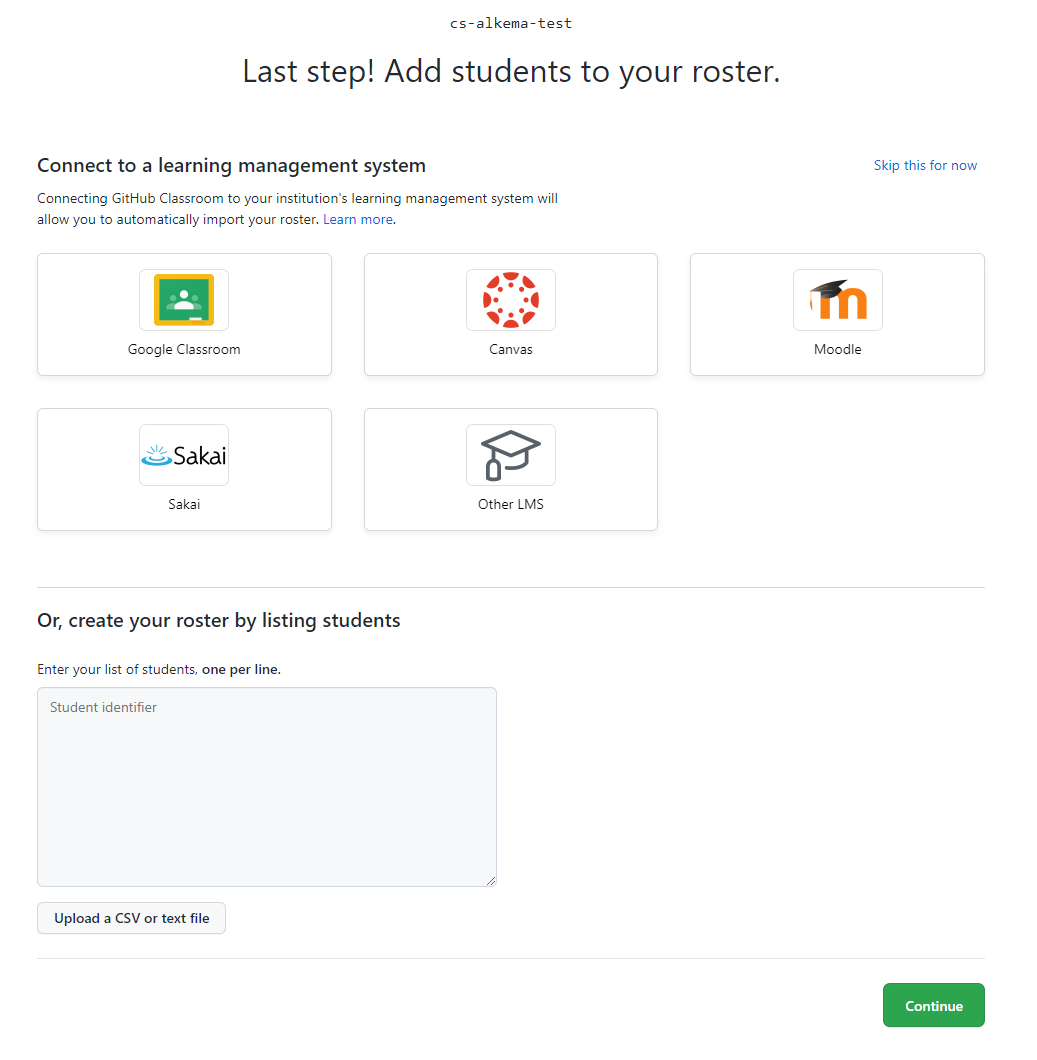
<p>The last step in the creation process is to add students.  Thankfully Github Classroom can integrate with Google Classroom to easily bring over your class list and email addresses.  I’ll make sure to put a feature request in at D2L to get Brightspace on that list as well!</p>

<blockquote>
  <p><img src="/assets/img/sis.png" alt="" /></p>
</blockquote>

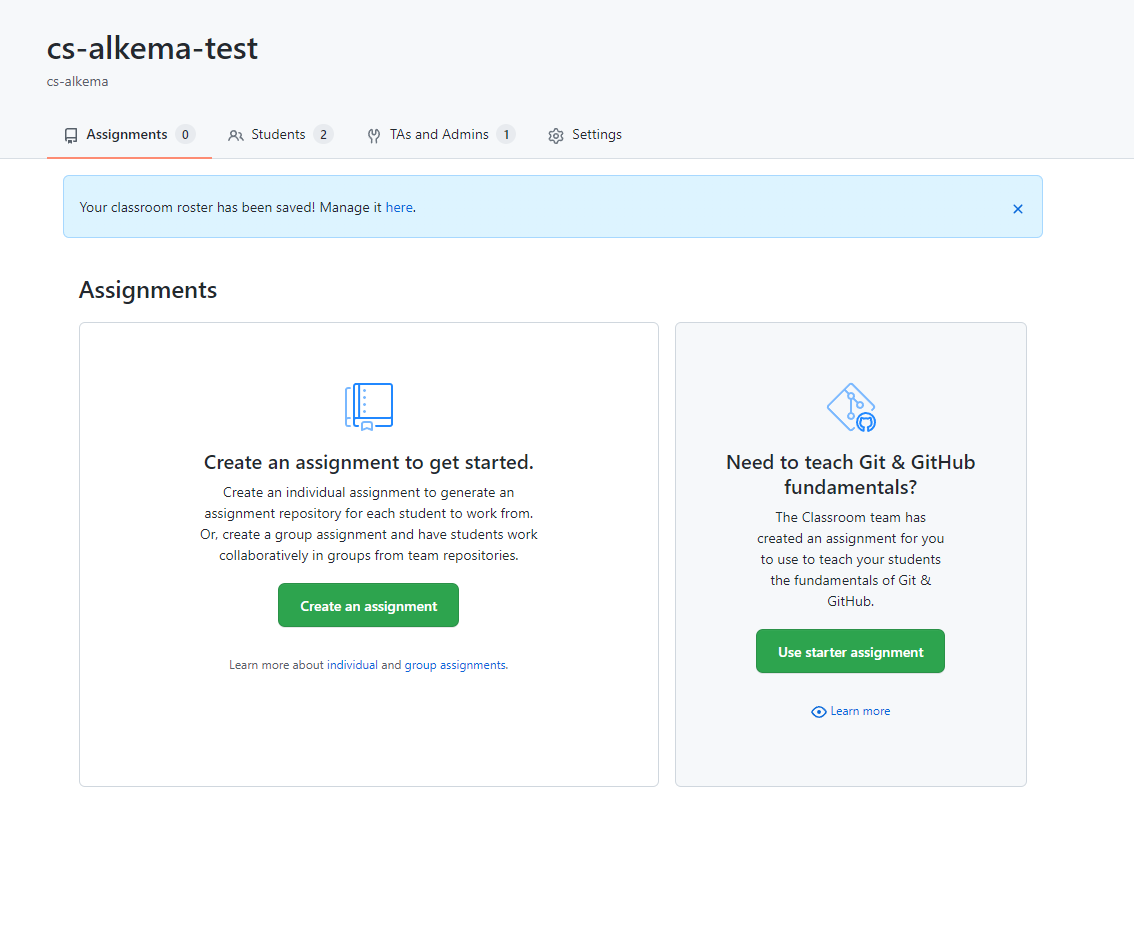
<p>Now we have our class.  Github will prompt if you’d like to add a built in course for teaching source control skills, I’d recommend using this and start getting the students familiar with these tools.</p>

<blockquote>
  <p><img src="/assets/img/class.png" alt="" /></p>
</blockquote>

<p>Here’s where the fun comes in to play.  We can create template repositories in the same organization as our classroom, and then create assignments in our classroom based off those templates.  Then each student (or group) will automatically be set up with a copy of that repository for them to work on.  Notice we can create tests that run automatically and we can see the results on the assignment dashboard.  Here’s an example I created.</p>

<p><a href="https://github.com/cs-alkema/test-assignment-template">Template Repository</a></p>

<p><a href="https://github.com/cs-alkema/test-assignment-team-best">Example of student group copy</a></p>

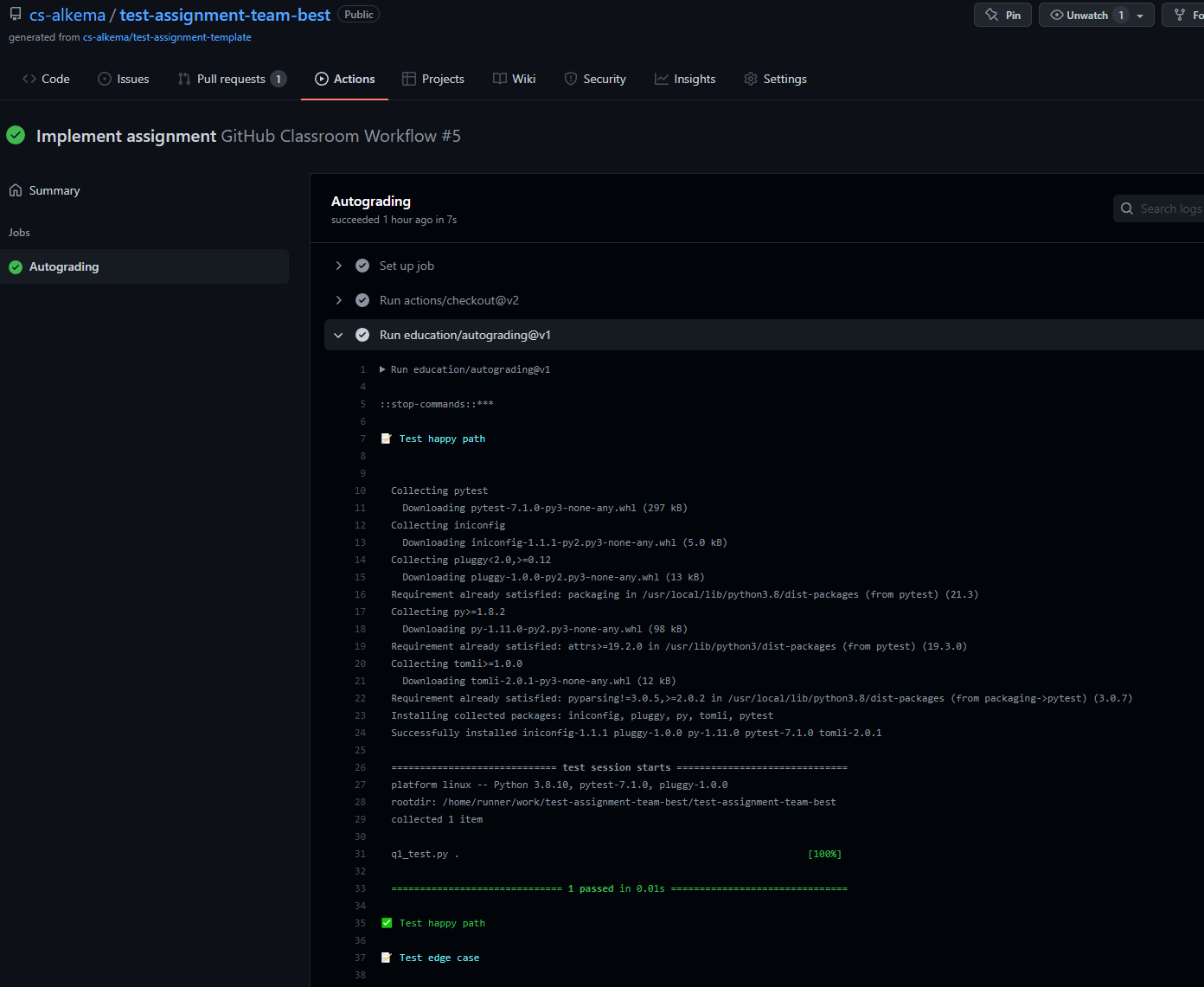
<p>Notice the little red dot or green check mark at the top of the student repository.  This is the result of the <a href="https://github.com/features/actions">Github Actions</a> that run the tests automatically.  Click into that shows the results.</p>

<blockquote>
  <p><img src="/assets/img/actions.png" alt="" /></p>
</blockquote>

<blockquote>
  <p><img src="/assets/img/actionresult.png" alt="" /></p>
</blockquote>

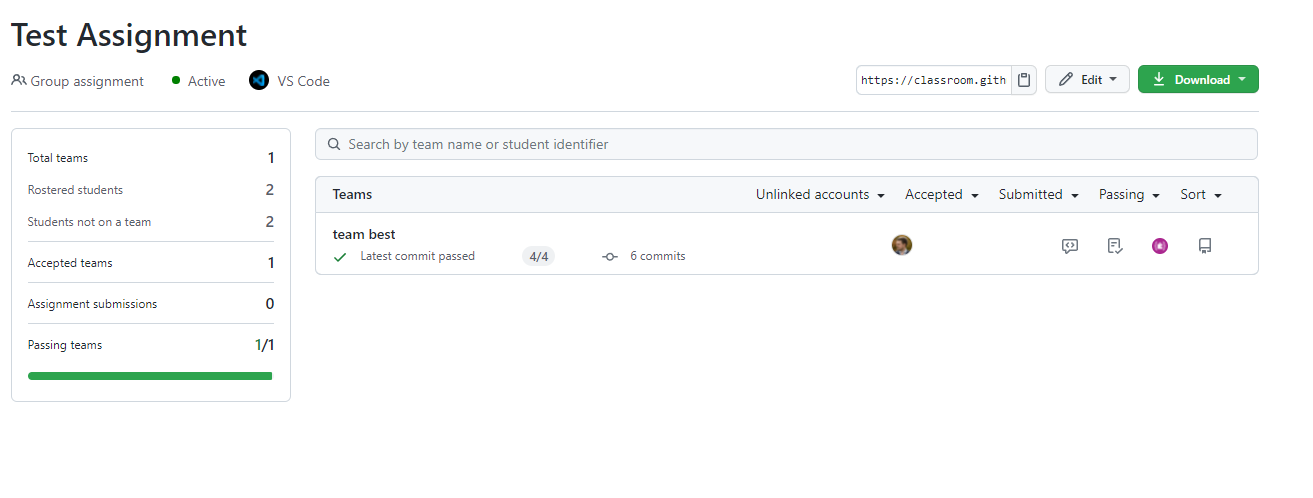
<p>On our assignment dashboard we can see the Github Action results for each group.</p>

<blockquote>
  <p><img src="/assets/img/dash.png" alt="" /></p>
</blockquote>

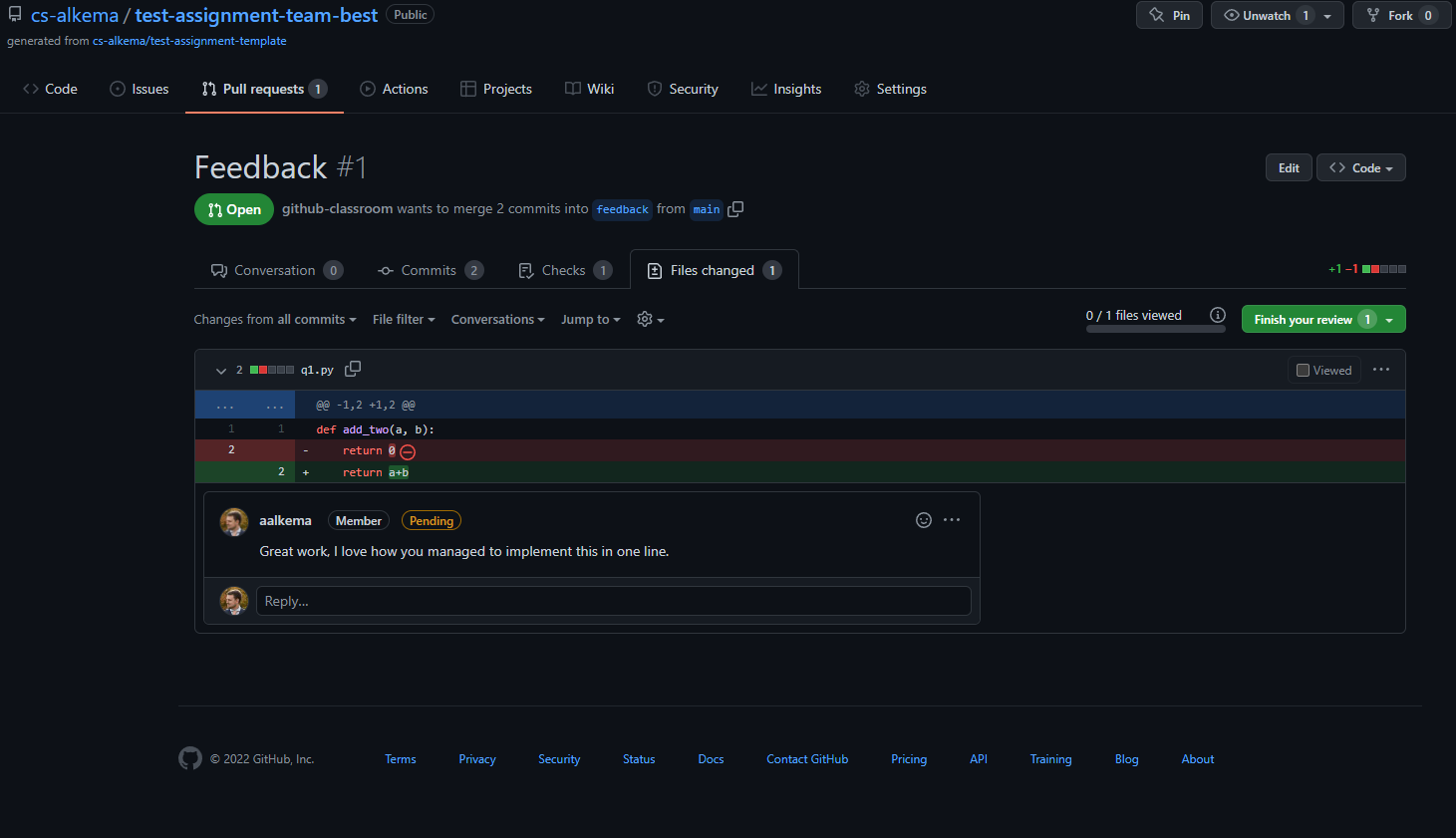
<p>When the students submit work, a Pull Request is automatically opened with their work against their repository.  Here we can go in and offer feedback.  The neat thing about this is we’re offering feedback in exactly the same way software developers get feedback in the real world.</p>

<blockquote>
  <p><img src="/assets/img/pr.png" alt="" /></p>
</blockquote>

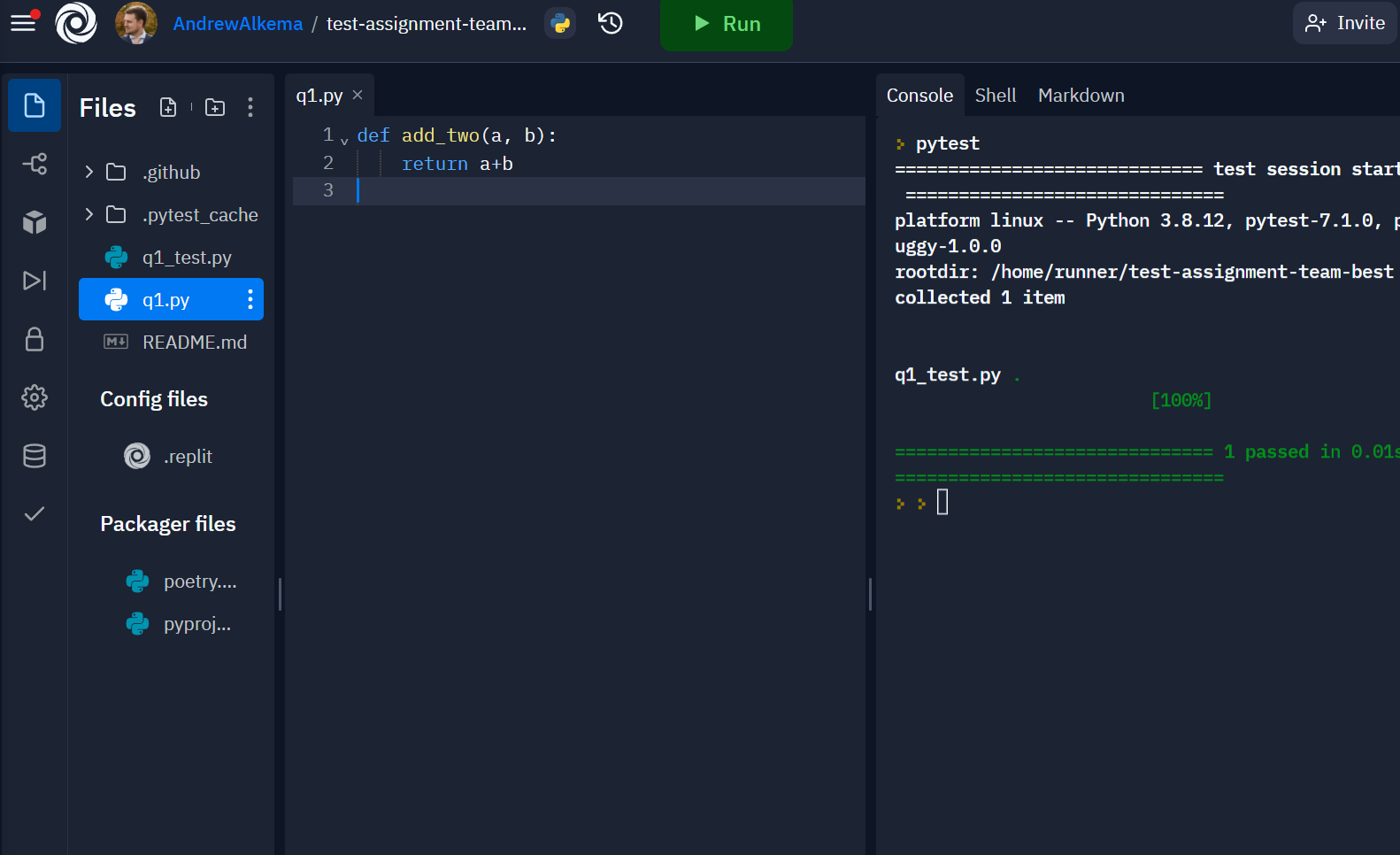
<p>All this free tooling is incredible, but what’s fun is from here the world is our oyster.  The students now have a repository with starting code (or empty), a system for feedback, automated unit tests, and grading.  We could even still use Replit as our editor, simply create a new Replit, import from github, and put in the link to the repository.</p>

<blockquote>
  <p><img src="/assets/img/replit.png" alt="" /></p>
</blockquote>

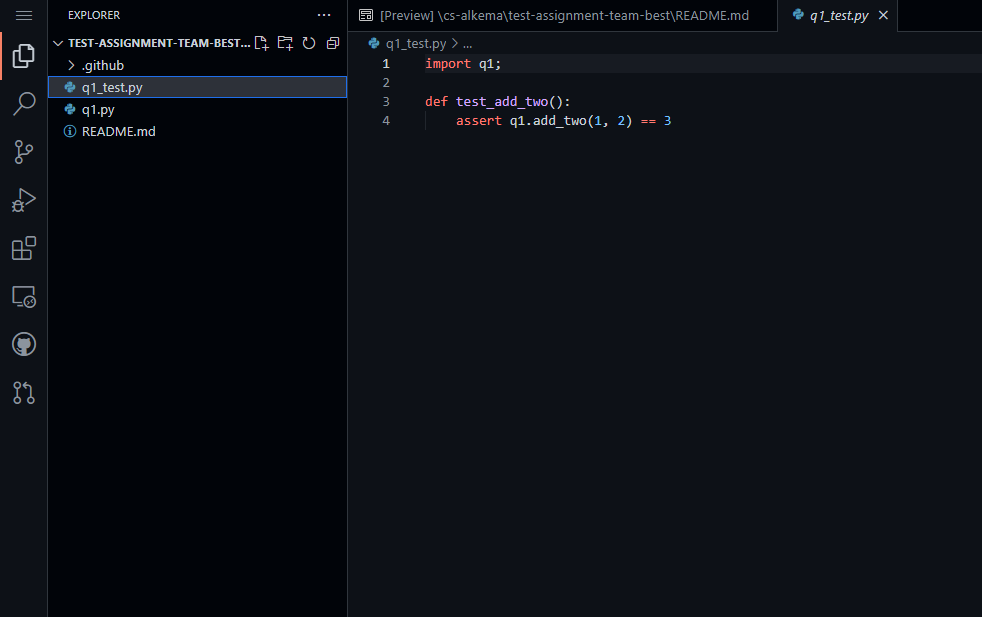
<p>Github also has a built in editor - Visual Studio Code in the cloud.  Press ‘.’ anywhere inside a github repository, and the editor opens right in the tab.</p>

<blockquote>
  <p><img src="/assets/img/vscode.png" alt="" /></p>
</blockquote>

<p>At the beginning of the year we could keep things simple.  Use the built in editor or Replit, and run all tests through the UI.  The advantage is the ceiling here is unlimited.  If students already know how to use Git, they can clone the repository and work in their preferred IDE locally.  We can introduce that over time as well if students show interest.  We can teach them about deployment and use Github Actions to deploy their program to Azure and use the free domain name tools provided with the student bundle to set up fully functioning web applications that have custom domains.  Since they know Github, we could also have students or the whole class contribute to open source projects.  Because we’re using real tooling, we’re in a better position to start contributing to real projects.</p>

<p>Students can be encouraged to offer feedback on Pull Requests for other groups, bringing in some Computational Participation, or we could even make an assignment for the whole class, and build something together using the scalable, collaborative tools offered by Github.</p>

<p>I’m very excited to get a class of my own to start trying out some of these tools.  I think it’s important that a tool breaks down barriers to make learning happen, not just be something flashy and used for now reason.  I think Github Classroom is a tool that offers real advantages to teachers, and will help create Junior Software Developers who are ready to take their next steps into real software development.</p>]]></content><author><name></name></author><category term="teaching" /><summary type="html"><![CDATA[I have spent over 10 years as a software developer, and one of the most overlooked aspects of teaching computer science that I’ve noticed is tooling. Most classes use something like replit to make getting set up and coding smoother. For math classes that teach coding as part of the curriculum, or for STEM projects using micro:bit, replit is a great tool. I think ICS3/4U courses need to introduce more real world tooling though, we’re moving past code by itself and into the world of software development. It’s right here in the curriculum introduction: A huge part of software development is all the work that goes into running an application that isn’t the actual writing code part. Collaborating, architecting, testing, troubleshooting, documenting, building, deploying, upgrading, and monitoring are all important parts of computational thinking to teach alongside writing code itself. A lot of the curriculum talks about these elements, here are some examples: Some classrooms (and when I took ICS3U back in 2005) use IDEs like Pycharm or Visual Studio. This provides that authentic experience, but can be a lot to jump into at the beginning of the course, and often leads to lots of wasted time troubleshooting local development issues. How can we provide this authentic development experience, but try to alleviate some of the headaches? This is where Github Classroom comes in. Git is the industry standard tool for collaborating on code, and Github is the largest site for hosting repositories. It recently launched a platform that uses all of Github’s features, but provides tools for teachers and students to make the experience easier to use. This allows us to give students an easy entry point, but an almost unlimited ceiling in terms of where they want to go. Replit certainly has some collaboration and automation tools, but most are hidden behind the subscription service. Github classroom is free. Not only is it free, they offer a free student pack with free domain hosting, Azure credits, canva, and more, and a teacher toolbox with tons of access to free industry tools (I’ve used NewRelic from that list, an incredibly powerful monitoring tool). They can offer this service for free because it’s backed by many of the largest players in the tech industry. Github is owned by Microsoft, and these companies want to see a new generation of students who are interested in Software Development. Walking Through an Example Github Classroom Setup The first thing you’ll need is a Github account. After that you’ll make an Organization, which is a place to organize your classrooms into. It could be something like ‘{lastname}-cs’. Next, you’ll need to name your class. This will map to one offering of your course, so it could be something like ‘fall-2021-ics3u’. Next, collaborators. We may have an EA or other teacher helping with the course, and we can add any substitute teachers in here later. Most likely we can skip this step for now. All of these steps (except the name) can be skipped and added later. The last step in the creation process is to add students. Thankfully Github Classroom can integrate with Google Classroom to easily bring over your class list and email addresses. I’ll make sure to put a feature request in at D2L to get Brightspace on that list as well! Now we have our class. Github will prompt if you’d like to add a built in course for teaching source control skills, I’d recommend using this and start getting the students familiar with these tools. Here’s where the fun comes in to play. We can create template repositories in the same organization as our classroom, and then create assignments in our classroom based off those templates. Then each student (or group) will automatically be set up with a copy of that repository for them to work on. Notice we can create tests that run automatically and we can see the results on the assignment dashboard. Here’s an example I created. Template Repository Example of student group copy Notice the little red dot or green check mark at the top of the student repository. This is the result of the Github Actions that run the tests automatically. Click into that shows the results. On our assignment dashboard we can see the Github Action results for each group. When the students submit work, a Pull Request is automatically opened with their work against their repository. Here we can go in and offer feedback. The neat thing about this is we’re offering feedback in exactly the same way software developers get feedback in the real world. All this free tooling is incredible, but what’s fun is from here the world is our oyster. The students now have a repository with starting code (or empty), a system for feedback, automated unit tests, and grading. We could even still use Replit as our editor, simply create a new Replit, import from github, and put in the link to the repository. Github also has a built in editor - Visual Studio Code in the cloud. Press ‘.’ anywhere inside a github repository, and the editor opens right in the tab. At the beginning of the year we could keep things simple. Use the built in editor or Replit, and run all tests through the UI. The advantage is the ceiling here is unlimited. If students already know how to use Git, they can clone the repository and work in their preferred IDE locally. We can introduce that over time as well if students show interest. We can teach them about deployment and use Github Actions to deploy their program to Azure and use the free domain name tools provided with the student bundle to set up fully functioning web applications that have custom domains. Since they know Github, we could also have students or the whole class contribute to open source projects. Because we’re using real tooling, we’re in a better position to start contributing to real projects. Students can be encouraged to offer feedback on Pull Requests for other groups, bringing in some Computational Participation, or we could even make an assignment for the whole class, and build something together using the scalable, collaborative tools offered by Github. I’m very excited to get a class of my own to start trying out some of these tools. I think it’s important that a tool breaks down barriers to make learning happen, not just be something flashy and used for now reason. I think Github Classroom is a tool that offers real advantages to teachers, and will help create Junior Software Developers who are ready to take their next steps into real software development.]]></summary></entry></feed>